Chapter 1
Variables and Filters
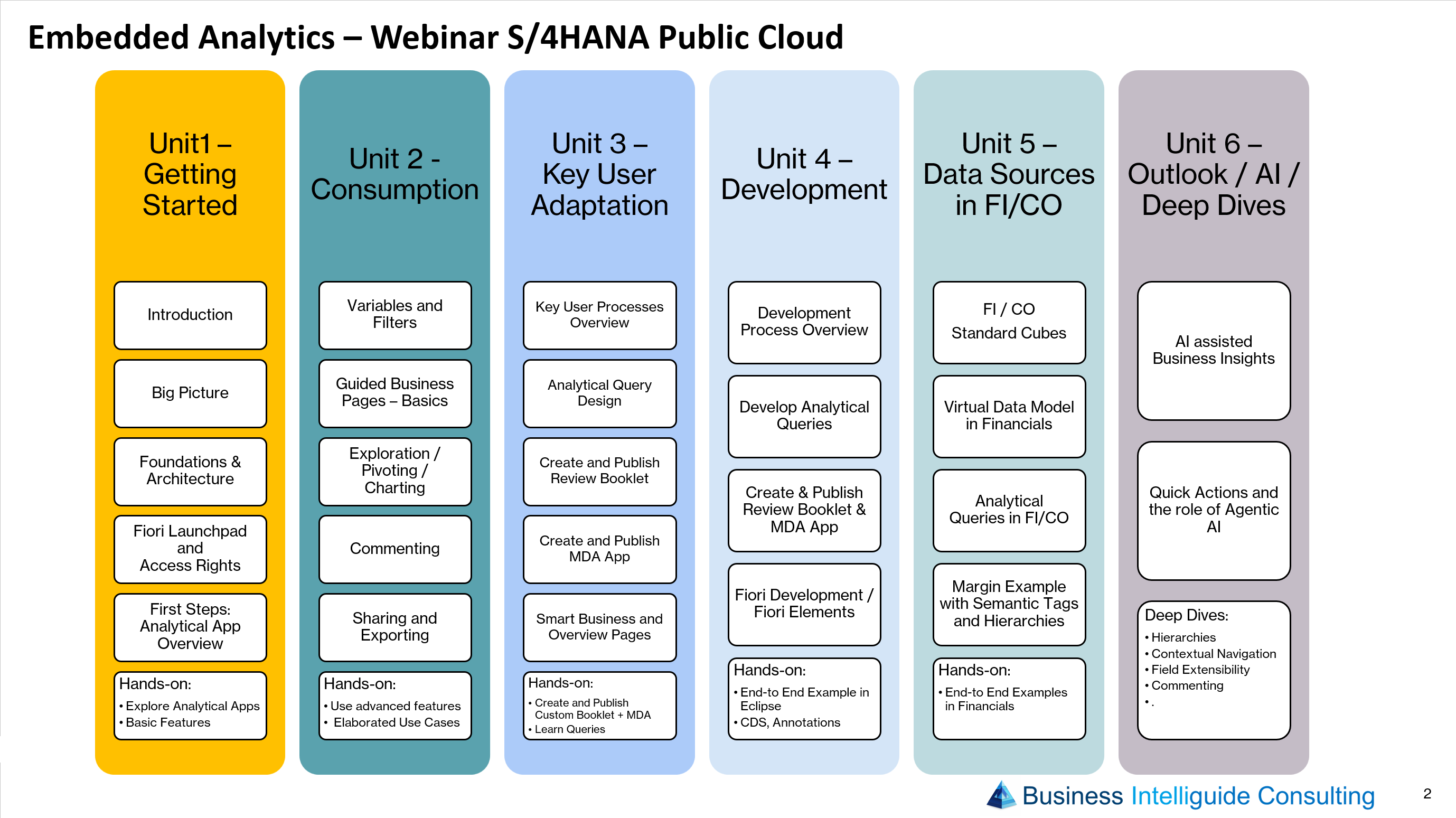
Control what data you see using variables and filters, and understand the difference between the two when working with analytical apps.


Chapters & resources
Chapter 1
Control what data you see using variables and filters, and understand the difference between the two when working with analytical apps.
Chapter 2
Introduction to Guided Business Pages and how they present curated analytical content to business users.
-covers: Row and Column Sets - Context Menues - Formatting - Hierarchy Handling - Navigation - Fullscreen Mode,...
Chapter 3
Explore data interactively – drill down, pivot dimensions and switch between table and chart visualizations.
Chapter 4
Add context and collaborate directly on reporting content through commenting inside the analytical apps.
Chapter 5
Share views with colleagues and export results to formats such as Excel for further use.
- covers: Export to pdf, Export to spreadsheet, collaborate via Teams, sharing public variants
Chapter 6
Understand the difference between Review Booklets and Multidimensional Analysis Apps.
Hands-on
Apply advanced consumption features to a set of elaborated, realistic business use cases.